Release: June 2026
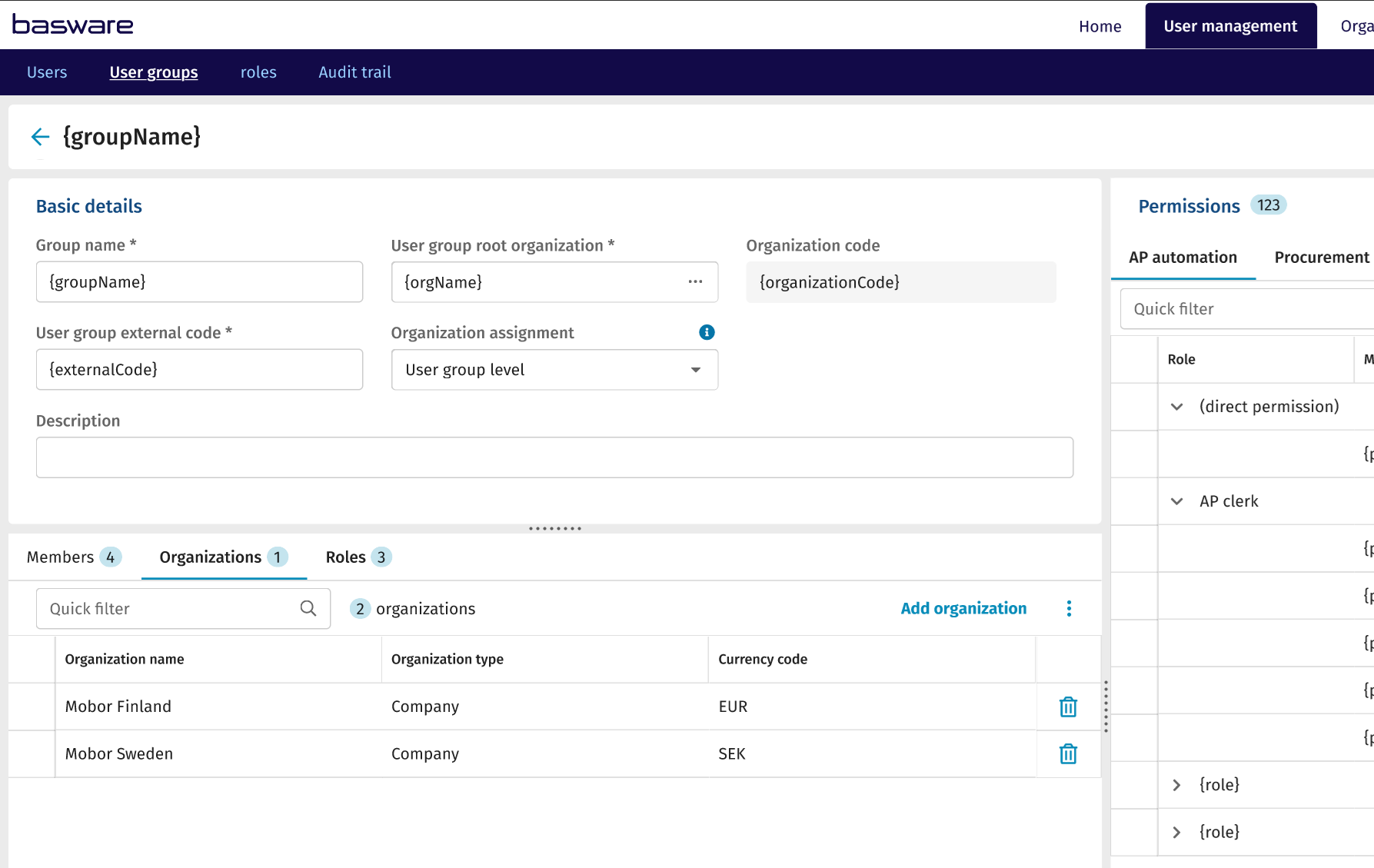
Assign user group permissions across multiple organizations at once to simplify access management.
Why it matters:
Managing access in large organizations often required creating multiple duplicate user groups for different organizational units. With these updates, permissions can be managed more centrally and consistently, reducing manual work and the risk of errors.
What’s New:
- Organization-level user group improvements: You can now define organization-specific settings directly at the user group level. This allows more precise control of access across different parts of your business.
- Simplified organization handling: Users and user groups can be aligned more clearly with organizational structures, improving consistency in how access is configured and managed.
- Role-based permission management: Roles are reusable permission sets assigned to user groups. Define a role once and attach it wherever it is needed. When a role is updated, all user groups using it are updated automatically.
-
More flexible permission structures: User groups can now better reflect real-life roles by supporting more flexible combinations of permissions and organizational context.
- Reduced duplication: Instead of creating separate user groups for each organization, a single group can now be used to manage permissions across multiple organizations.
- Streamlined management: These improvements simplify how administrators manage access in large and complex environments, making setup and maintenance more efficient.
Who benefits:
Administrators managing large customer environments with multiple organizations and complex access requirements.
Where to find it:
This enhancement is available in Basware Administration under the User Groups and Roles section.