Release: April 2026
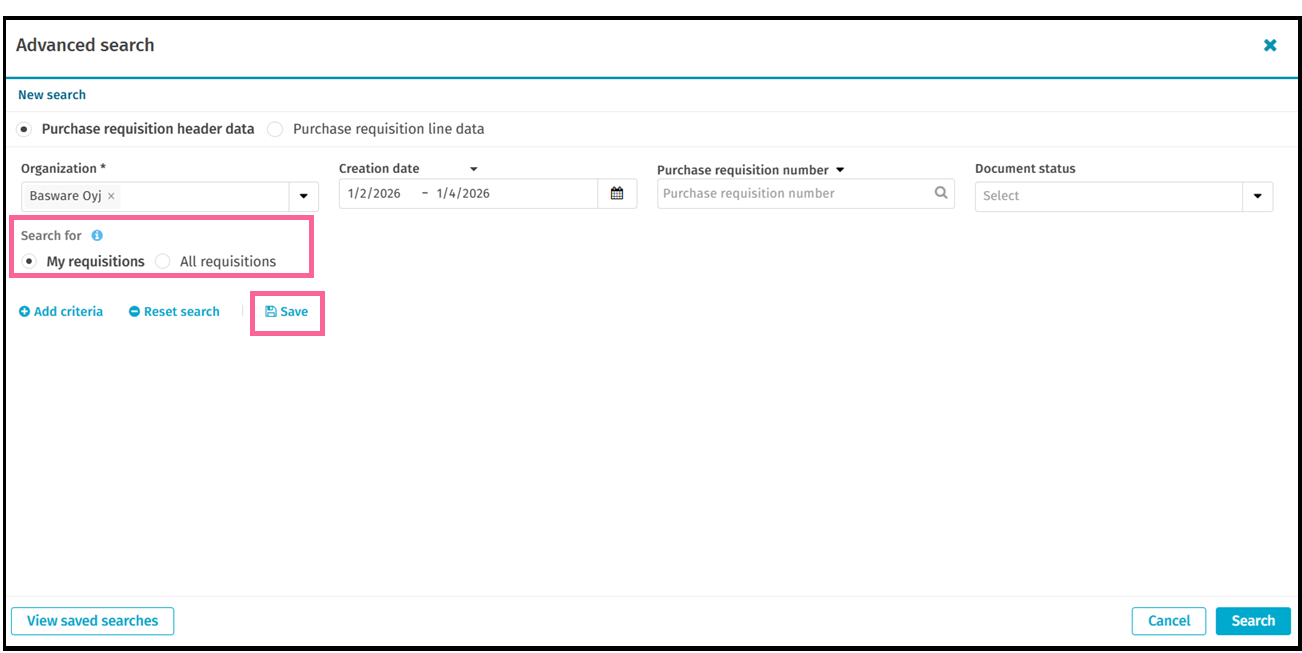
Power users can now use complex, multi-criteria searches to find specific purchase documents and save them for future use.
Why it matters
Finding the right purchase requisition or order shouldn't be a manual chore. This feature reduces the time spent filtering through long lists by allowing you to target exactly what you need. By saving your frequent searches, you can jump straight to your most important tasks, improving both speed and data accuracy in your daily work.
What's New
-
- Multi-criteria search: Combine up to 10 different details—like supplier, amount ranges, or cost centers—to pinpoint documents.
- Search by line items: You can now search for specific information within document lines, including coding fields.
- Saved searches: Create and name your own search templates so you can run complex queries again with a single click.
- Flexible results: Choose whether you want to see your results as full documents or as individual line items.
- Personalized toggle: Easily switch between seeing only your own documents or all documents you have worked on.
Who benefits
Business Users who manage high volumes of PRs, POs, and GRs in Purchase Professional Views for Documents
Where to find it
Look for the Advanced Search button near the basic search bar in the Purchase Documents list view within Tools for Power Users (Professional Views).